

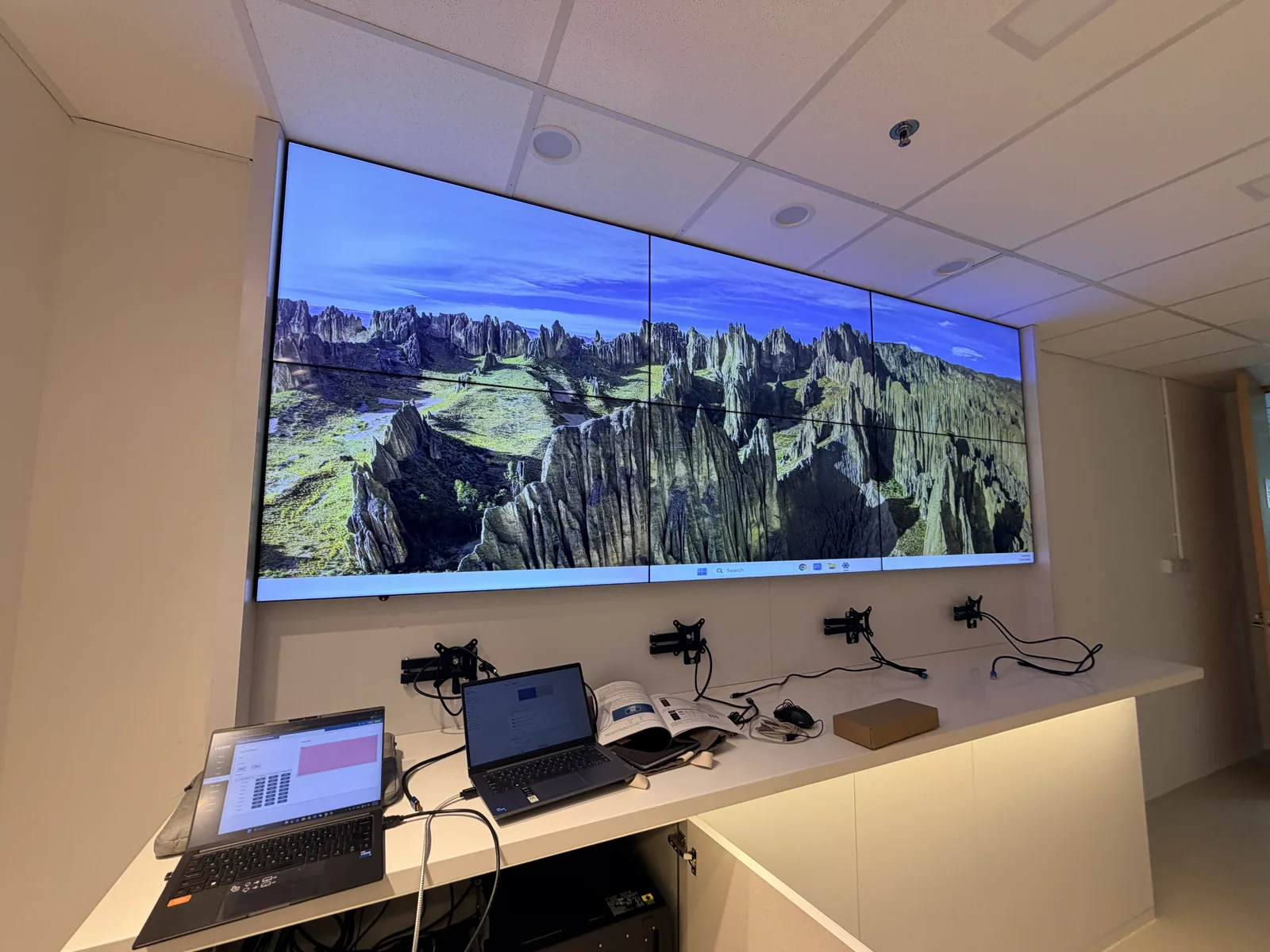
| Client | Draeger |
|---|---|
| Room | R&D room, data display |
| Screen | 6 × 49-inch LCD video wall panels, 3.5 mm bezel, 3 across × 2 high |
| Mounting | Quick Lock Push Brackets |
| Control | Our 8 × 8 HDMI matrix |
| Installed | 2025 |
What the client needed
Draeger's R&D team needed a large data display for their room: clear enough for charts and small figures, and simple for anyone on the team to switch between sources. The wall shows live data dashboards from the team's computers.
The part most clients overlook
A video wall is only as good as the box that controls it. Many clients spend on the screens and then get a matrix that only one person knows how to use. When that person is away, the wall shows the same thing for months. We supply an HDMI matrix built to be easy for anyone.
How the matrix works
- From any browser: the matrix has a built-in web page. Open it from any PC on the network, log in and switch sources. No software to install.
- From the front panel: press an output button, then an input button. A small screen shows what is connected where, and a lock button stops accidental changes.
- From a remote or a control system: an IR remote is included, and RS-232 connects to room control systems.
What it can do on this wall
- One picture across all six screens, with bezel compensation so lines and text stay straight across the gaps.
- A different source on each screen.
- Picture-in-picture and layouts of up to four sources on one screen.
- Saved layouts, recalled in one click.
- Up to 8 sources in and 8 screens out, 4K at 60 Hz, with seamless switching.
- It keeps its settings after a power cut.
Mounting
The wall is built into a cabinet, so there is no room to reach behind the screens. Each panel sits on a Quick Lock Push Bracket: push a panel and it comes forward for service, then locks back in place. The brackets also let us fine-tune the alignment of every panel, so the gaps stay even.
The result
Since handover, the Draeger team rarely needs to call us, not even to ask how to use it. That is the point: a video wall the whole team can run on its own.
Planning a video wall your whole team can use?